- Home
- Launcher comparison
- SolaTV or Google TV
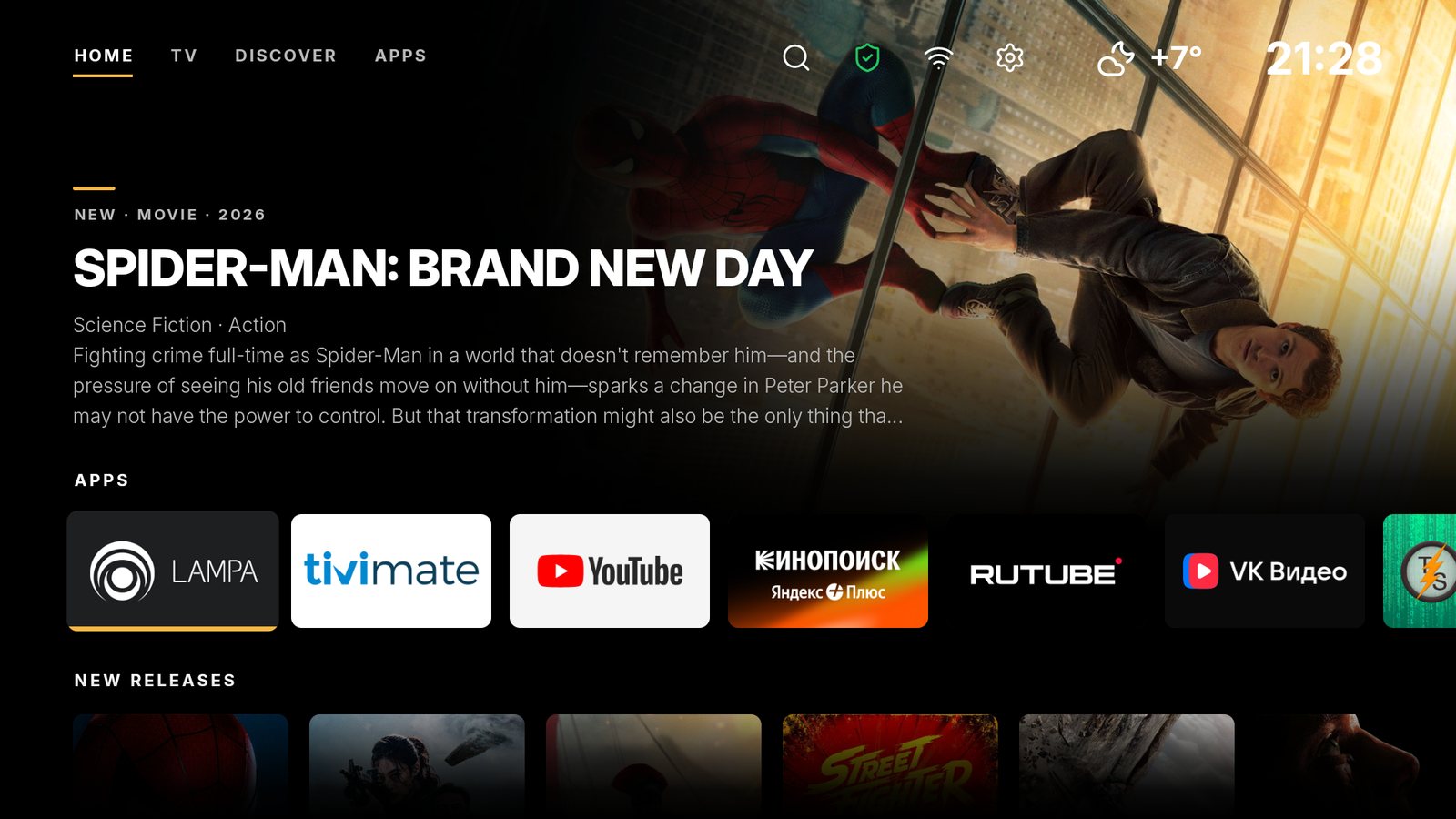
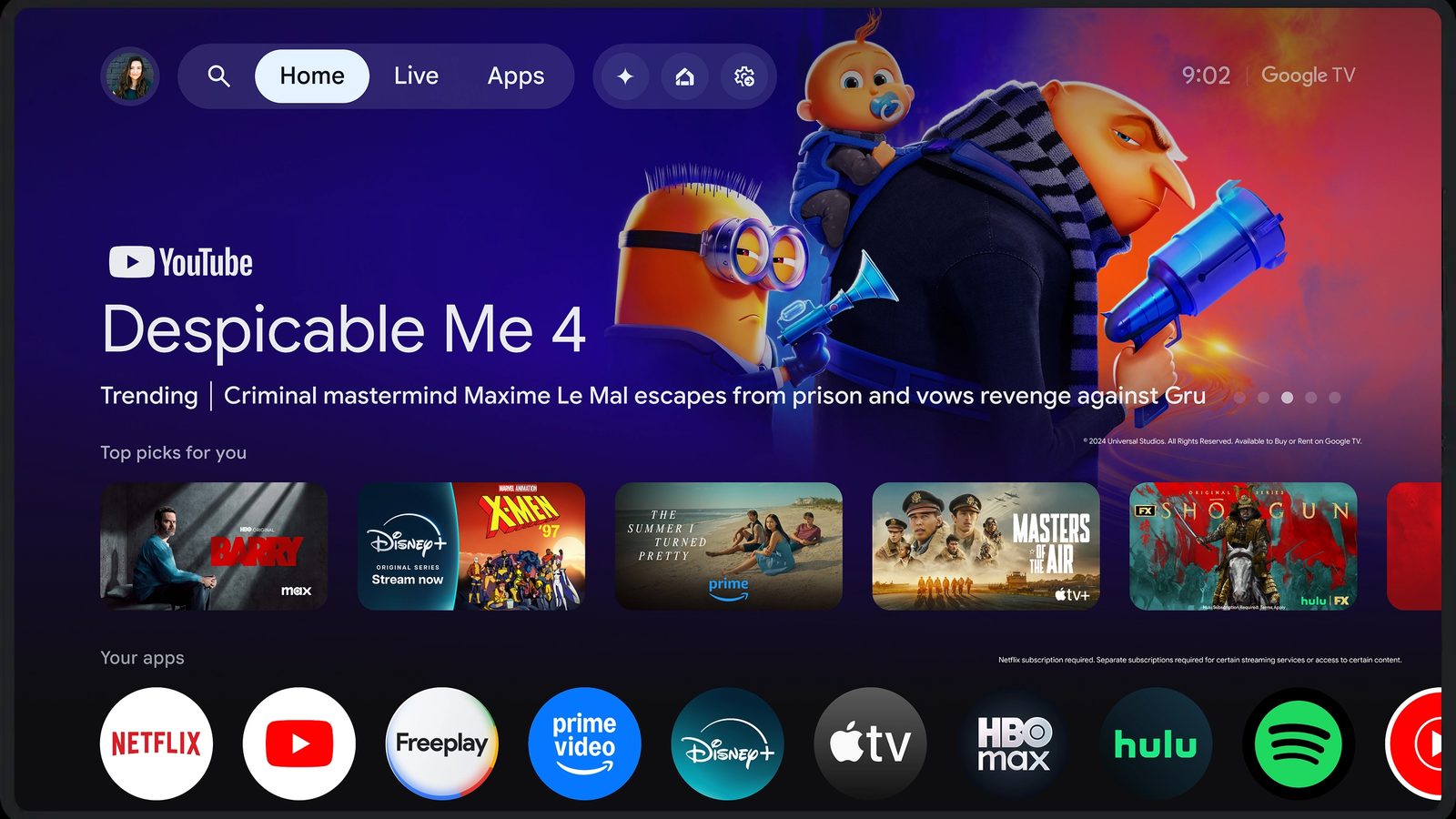
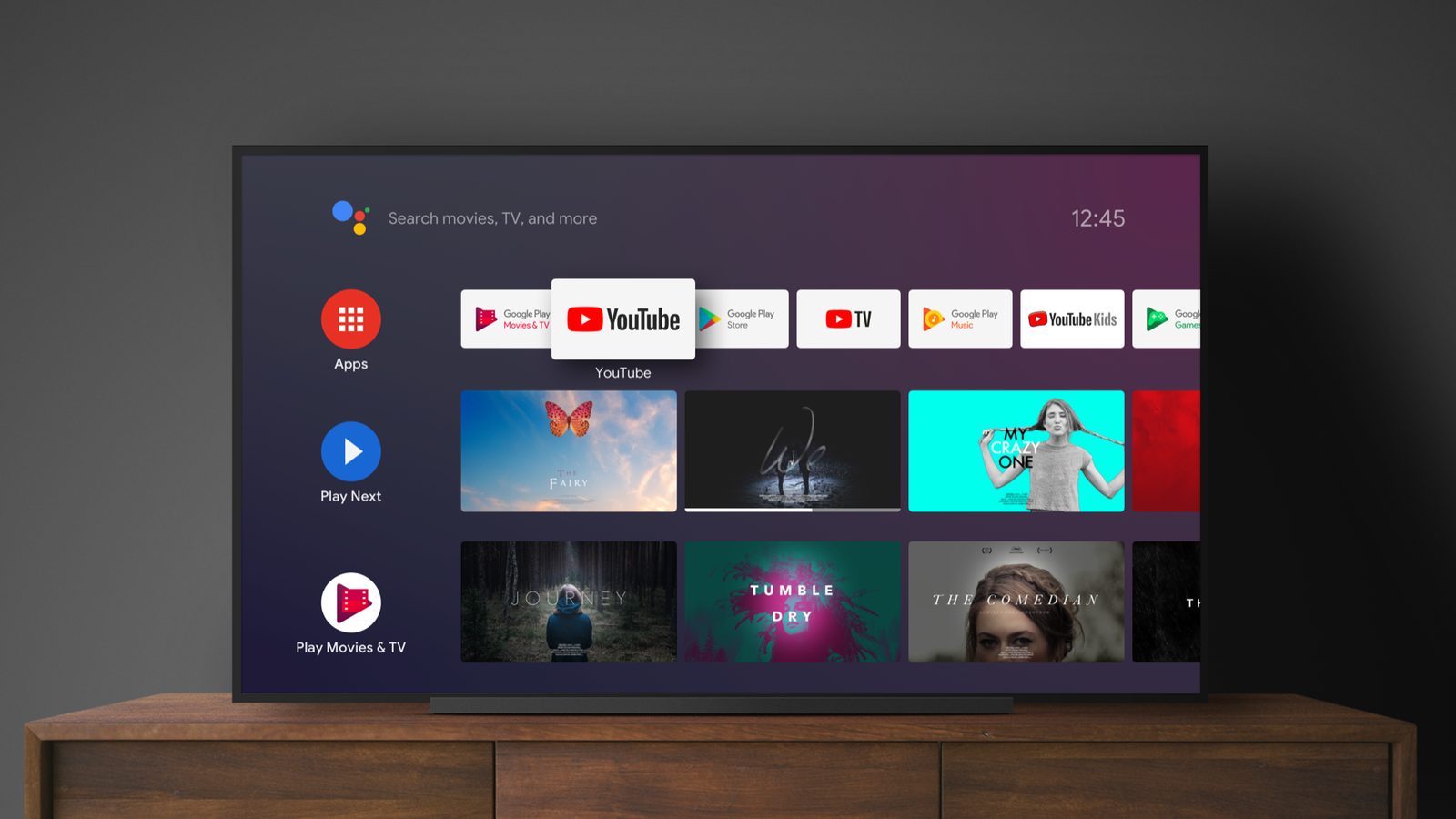
SolaTV or Google TV: home screen comparison
Google TV is the home screen on TVs and boxes with Google TV; on older devices Android TV Home takes its place. Both Google launchers show ads that, according to Google Help, cannot be turned off, and collect watch history for recommendations and advertising. On the other hand, Google TV has the best recommendations in this comparison and search with the Assistant. On ten criteria SolaTV scores 92 out of 100 and Google TV 60.
SolaTV
A light, free launcher with built-in IPTV: playlist, TV guide, catch-up. No ads, no analytics.
Download →Google TV
Google's stock launcher: the best recommendations and search, but ads cannot be turned off and data goes to Google.
Ads on Google TV and Android TV Home
Google TV Help answers the ad question directly: “You can’t turn off ads”; only the advertising ID can be managed. Apps-only mode removes personal recommendations, but according to the same Help “you’ll also find sponsored content and teasers for popular movies and shows”, and search and Google Assistant do not work in this mode.
Android TV Home has the same limit. Google Help on the home screen suggestions: “These suggestions are based on trending content or sponsored by media partners and can’t be turned off.” Both launchers carry the “Contains ads” label in Google Play. In December 2024 9to5Google described a new format: an ad banner under the row of unfinished movies and shows.
What data Google TV collects
Google TV Help lists what is collected for recommendations, the service and advertising:
- the watchlist, watch history and connected streaming services;
- approximate location, user and device identifiers;
- installed apps and in-app interactions, crash logs and diagnostics;
- data for advertising and marketing on TV devices.
SolaTV collects nothing from this list. It only contacts TMDB for movie posters and descriptions, Open-Meteo for weather, your playlist and TV guide, and solatv.ru for the new version number.
| Criterion | SolaTV | Google TV |
|---|---|---|
| LightnessInstall file size | 10APK 3.9 MB, no animations | 6APK 23 MB |
| No adsAds and promoted rows on the home screen | 10No ads | 0Ads cannot be turned off, per Google Help |
| PrivacyData collection and analytics | 10No analytics, no advertising IDs | 1Watch history, IDs, advertising data |
| PriceWhat is free and what is paid | 10Free, no paid features | 10Free, built into the system |
| IPTVTV from your own playlist | 10M3U, groups, XMLTV guide, 7-day catch-up | 4Live tab with service channels, no M3U |
| SearchMovies, channels, apps and voice | 10Movies, channels and programs, voice input | 10Search across services, voice and Assistant |
| CustomizationApp order, rows, wallpapers, colors | 7Order, hiding, 5 colors, tile size | 4App order, Apps-only mode |
| CollectionsMovies and series on the home screen | 7TMDB collections with posters, not personalized | 10Personal recommendations from services |
| DevicesWhich TVs and boxes it installs on | 8Android 8.0 and newer, any brand | 5Google TV devices only |
| Home screenHow it becomes the default and how to restore the stock one | 10Sets itself on Android TV and Google TV, one-button undo | 10Stock: home screen out of the box |
| Totalout of 100 points | 92 | 60 |
The 32-point gap is almost entirely ads and privacy: 10 and 9 points in SolaTV’s favor. Google TV takes points for recommendations, and both get the maximum for search and price.
Where Google TV is stronger
- Recommendations. Google TV picks movies and series by subscriptions and watch history across all connected services.
- Search and Assistant. Voice search from the remote button looks across all services at once. Gemini for TV on Android 14 works only in a list of countries.
- Integration. Google TV is part of the system, updates with it and needs no setup.
Where SolaTV is stronger
| Feature | SolaTV | Google TV |
|---|---|---|
| Ads | None | Cannot be turned off |
| Data | No analytics or identifiers | Watch history, IDs, advertising data |
| TV from a playlist | M3U, XMLTV guide, 7-day catch-up | Live tab with service channels, you cannot add your own M3U |
| Size | 3.9 MB | 23 MB |
| Devices | Any Android TV and Google TV with Android 8.0 | Google TV devices only |
| Customization | Order, hiding, accent color, tile size | App order, Apps-only mode |
SolaTV search also works by voice: the “Speak” button finds movies, series, your TV channels and programs. The microphone button on the remote still calls Google search.
SolaTV and Google TV home screens
How to replace Google TV without breaking the system
Google’s launcher on Google TV must not be disabled: in SolaTV tests on a Xiaomi box, Home then went to the setup recovery screen and the system looped. SolaTV keeps Google TV enabled and catches the Home button with its service, so movie cards from Google voice search open as before.
- Install SolaTV from the APK: how to install apps on Android TV.
- In SolaTV settings press “Default launcher” → “Make default” and allow debugging once.
- To bring Google TV back, press “Restore” in the same place.
More about the Home button priorities is in the guide “How to change the launcher on Android TV and Google TV”.
Frequently asked questions
Can I turn off ads on Google TV?
Not with stock settings, as Google TV Help states. Apps-only mode removes recommendations, but sponsored content stays, and search and the Assistant stop working. Ads leave the home screen together with Google’s launcher, for example after switching to SolaTV.
Can I uninstall or disable Google TV?
The system launcher cannot be uninstalled, and disabling it on Google TV is dangerous: Home goes to the recovery screen and the system loops. The safe way is a third-party launcher that catches Home and keeps Google TV enabled.
Will voice search work after replacing Google TV?
Yes. The microphone button on the remote calls Google search, and movie cards from the results open as before: the SolaTV service does not touch them.
How is Google TV different from Android TV Home?
Android TV Home runs on Android TV devices without Google TV; Google TV replaced it on newer devices and added recommendations by subscriptions. Both launchers are by Google, and both show ads that cannot be turned off.